You’ve just joined as a Linux junior, IT support, DevOps trainee, or simply “the Linux person.” You sit down, open your laptop and… now what? Here’s the exact roadmap for the most common situations you’re going to run into, based on hundreds of juniors who have already been there.
📋 Quick situation overview
| Situation | Day 1 priority | Key tool | Week 1 objective | Frequency |
|---|---|---|---|---|
| No documentation | Inventory | Ansible ping | Emergency runbook | 80% |
| Everything monitored | Read-only access | Grafana/Zabbix | Personal dashboard | 15% |
| No monitoring | Netdata | Netdata | Immediate visibility | 40% |
| CentOS 7 EOL | Detailed inventory | Lab VM | Migration plan | 25% |
| Old scripts | Basic logging | Git | Version one critical script | 60% |
| You’re “the systems person” | Backup working | Rsnapshot/Borg | Internal wiki | 35% |
Situation 1 – “There’s no documentation and everything is in production”
The most common case – 80% of juniors start here
- Days 1–3: Read and ask questions only. Do not touch production.
- Create your own inventory: This file will save your life:
# ~/inventory.txt - Real-world example I used in my first job
# =============================================================
# IP          Hostname      OS             Role               Owner
10.10.1.10    web01         Ubuntu 20.04   Apache+PHP        Pedro
10.10.1.11    web02         Ubuntu 20.04   Apache+PHP        Pedro
10.10.2.20    db01          Debian 11      MariaDB           Ana
10.10.3.30    backup01      Rocky 9        BackupPC          you :)
10.10.4.40    monitor01     Ubuntu 22.04   Zabbix            (unassigned)
# =============================================================
# Notes:
# - web01 and web02 are behind a round-robin load balancer
# - db01 replicates to db02 (10.10.2.21), currently under maintenance
# - backup01 has 2TB free, runs daily backup at 02:00- Install Ansible on your laptop and start with the basics:
# First, with proper approval, build a quick inventory
sudo apt install ansible -y  # or dnf install ansible-core
echo "[webservers]" > ~/ansible_hosts
echo "10.10.1.10" >> ~/ansible_hosts
echo "10.10.1.11" >> ~/ansible_hosts

# Test connectivity (with your mentor's approval)
ansible -i ~/ansible_hosts all -m ping

# If it works, pull basic information
ansible -i ~/ansible_hosts all -m setup -a "filter=ansible_distribution*"Situation 2 – “Everything is monitored with Zabbix/Nagios/Prometheus”
You hit the lottery – you’ll ramp up fast and look like a hero
- Day 1: Ask for read-only access to:
- Grafana/Prometheus dashboards
- Zabbix or Nagios console
- Centralized logs (ELK, Loki, Graylog)
- Days 2–3: Grab 3–4 real alerts from the last 30 days and reproduce them in your local lab.
- Days 4–5: Build a personal “Junior – Learning” dashboard with:
- CPU usage per service
- Disk usage for critical partitions (/ /var /home)
- MySQL/PostgreSQL slow queries
- HTTP response times
Situation 3 – “There is no monitoring or it’s broken”
Golden opportunity to stand out
Fast option (30 minutes) → Netdata
# On each server (with approval)
bash <(curl -Ss https://my-netdata.io/kickstart.sh) --stable --disable-telemetry

# Or via apt/dnf
sudo apt install netdata -y
sudo systemctl enable --now netdata

# Access from: http://SERVER_IP:19999
Medium option (1 week) → Prometheus + Grafana
# 1. Install Node Exporter on each server
wget https://github.com/prometheus/node_exporter/releases/download/v1.6.0/node_exporter-1.6.0.linux-amd64.tar.gz
tar xvf node_exporter-*.tar.gz
cd node_exporter-*/
sudo cp node_exporter /usr/local/bin/
sudo useradd -rs /bin/false node_exporter
sudo systemctl enable --now node_exporter

# 2. Install Prometheus on a central server
# 3. Install Grafana
# 4. Import dashboard 1860 (Node Exporter Full)
Magic line: “I set up real-time monitoring so we can see issues before they hit users.” No one says no to that.
Situation 4 – You’re handed 50 CentOS 7 servers going EOL in 6 months
Strategic planning vs. blind panic
- Week 1: Detailed inventory for each server:
#!/bin/bash # inventory_centos.sh echo "=== $(hostname) ===" echo "Kernel: $(uname -r)" echo "IP: $(hostname -I)" echo "Services: $(systemctl list-units --type=service --state=running | wc -l)" echo "Disk usage: $(df -h / | awk 'NR==2 {print $5}')" echo "Packages installed: $(rpm -qa | wc -l)" echo "Last reboot: $(who -b | awk '{print $3, $4}')" - Week 2: Create a test server with an identical setup (VM or cheap cloud instance).
- Week 3: Present a migration plan:
CentOS 7 → AlmaLinux/Rocky 9 Migration Plan
==============================================
Phase 0 (NOW)  → Full inventory + Netdata on all servers
Phase 1 (M1)   → 2 non-critical servers in lab
Phase 2 (M2)   → 10 pre-production servers
Phase 3 (M3)   → Critical services (night maintenance windows)
Phase 4 (M4)   → Documentation and runbook per service
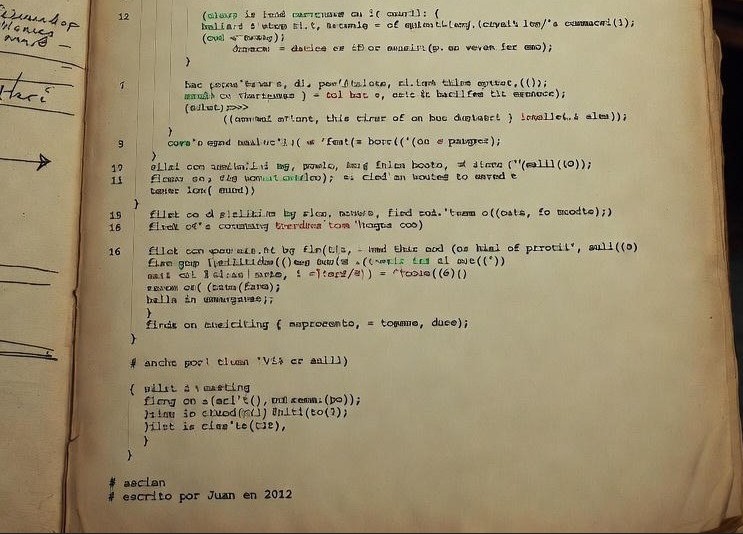
Rollback plan → LVM snapshots + full backup prior to migrationSituation 5 – “We use 200 Bash scripts from 2012 written by an ex-employee”
Relax, this is normal in companies with history
- Day 1: Understand the scope:
# Count scripts with hardcoded root user find / -type f -name "*.sh" -exec grep -l "root" {} \; | wc -l # Find the most used ones (cron) grep -r "\.sh" /etc/cron* /var/spool/cron 2>/dev/null | head -20 - Days 2–3: Pick the most frequently executed script and add logging:
#!/bin/bash
# === STANDARD HEADER YOU SHOULD ADD ===
set -euo pipefail              # Fail on error, undefined vars, pipefail
exec 1>>/var/log/$(basename "$0").log 2>&1  # Log everything
set -x                         # Debug mode

# === METADATA ===
SCRIPT_NAME="$(basename "$0")"
START_TIME=$(date +%s)
echo "=== $SCRIPT_NAME started at $(date) ==="
echo "User: $(whoami)"
echo "PID: $$"

# Your original script here...

# === FOOTER ===
END_TIME=$(date +%s)
DURATION=$((END_TIME - START_TIME))
echo "=== $SCRIPT_NAME finished at $(date) (${DURATION}s) ==="- Week 2: Put everything under Git (even if it’s a private local repo).
- Month 2: Create a README.md for each critical script.
Outcome: In 3 months, nobody will want to live without your documented Git repo.
Situation 6 – Small company, you are “the systems person”
From junior to “the responsible one” in 4 weeks
Week 1 → Get backups working NOW
# Simple option: rsnapshot (incremental)
sudo apt install rsnapshot -y
sudo cp /etc/rsnapshot.conf /etc/rsnapshot.conf.backup

# Minimal config:
# backup  /home/          localhost/
# backup  /etc/           localhost/
# backup  /var/www/       localhost/

# Quick test
sudo rsnapshot hourly
Week 2 → Basic monitoring
# Netdata everywhere + Telegram alerts
# In Netdata config:
[health_alarm_notify]
# Telegram bot
TELEGRAM_BOT_TOKEN="your_token"
TELEGRAM_CHAT_ID="your_chat"
Week 3 → Internal wiki
# BookStack (easier) or Wiki.js
# Docker compose for Wiki.js:
version: '3'
services:
  wiki:
    image: ghcr.io/requarks/wiki:2
    ports:
      - "3000:3000"
    environment:
      DB_TYPE: sqlite
      DB_FILEPATH: ./data/db.sqlite
Week 4 → Your first automation
# Automate something you do manually every day
# Example: cleanup of old logs
find /var/log -name "*.log" -mtime +30 -delete
# Cron: 0 2 * * * /usr/local/bin/clean-old-logs.sh
🔧 Toolkit by job title
👨💻 Junior Linux Admin
# Quick diagnostics
htop                      # Interactive process view
journalctl -f            # Follow systemd logs
ss -tulpn                # Listening ports
df -h                    # Disk usage
systemctl status --all   # All services
lsof -i :80              # What’s using port 80
dmesg | tail -20         # Recent kernel errors
🔄 DevOps Trainee
# Containers and CI/CD
docker ps -a             # All containers
kubectl get pods -A      # Kubernetes pods
terraform plan           # Planned changes
git log --oneline -10    # Last 10 commits
jenkins-cli console      # Jenkins status
ansible-playbook --check # Ansible dry-run
🛠️ IT Support
# Network and connectivity
tcpdump -nn port 80      # Capture HTTP
nmap -sV 10.0.0.1        # Services and versions
telnet google.com 443    # Port test
dig +short google.com    # Quick DNS check
ping -c 4 8.8.8.8        # Basic connectivity
traceroute google.com    # Network path
netstat -rn              # Routing table
🎯 5 questions that make people take you seriously
- “What’s the change management process?” → Shows you respect process.
- “Where are the backups and when was the last restore test?” → You’re prioritizing what matters.
- “Do we have staging/QA or does everything go straight to prod?” → You understand risk.
- “Who’s on call this week and how do I reach them?” → You’re prepared for incidents.
- “Is there any system that can never be rebooted?” → You know where the pain points are.
💀 Things you should NEVER do (even if someone asks)
- rm -rf / or variants → Use
trash-clior move files to /tmp first - chmod 777 → Prefer
chmod 755or figure out why it “needs” 777 - kill -9 PID → First use
kill -15, wait 30s, then SIGKILL if needed - Updating packages in prod → Without testing in staging first
- Sharing credentials over chat → Always ask for individual access
- Friday changes after 3 PM → Your weekend will thank you
📅 Realistic timeline for your first month
Week 1: Observe and learn
Objective: Zero changes. 100% learning.
- Access to systems (SSH, dashboards)
- Meet the team and understand responsibilities
- Read existing documentation (if any)
- Build your personal inventory
Week 2: Access and exploration
Objective: Read-only access to tools.
- Monitoring, logs, ticketing
- Personal lab (local VMs)
- First diagnostic script
- Mental map of dependencies
Week 3: First controlled change
Objective: Small, documented change.
- Formal ticket with approval
- Runbook with exact steps
- Defined rollback plan
- Maintenance window
Week 4: Automate and stand out
Objective: Your first visible “win.”
- Automate a repetitive task
- Document it in the internal wiki
- Share with the team
- Ask for constructive feedback
🔍 Command that gives you 80% of the picture in 5 minutes
#!/bin/bash
# diag.sh - Save as ~/bin/diag.sh and run on each server (with permissions)
# ============================================================================
echo "========================================"
echo "QUICK DIAGNOSTIC - $(date)"
echo "Hostname: $(hostname -f)"
echo "========================================"

# 1. BASIC SYSTEM INFO
echo -e "\n[1] BASIC SYSTEM"
echo "Uptime: $(uptime -p)"
echo "Kernel: $(uname -r)"
echo "OS: $(grep PRETTY_NAME /etc/os-release | cut -d= -f2 | tr -d '\"')"

# 2. RESOURCES
echo -e "\n[2] RESOURCES"
echo "Load average: $(uptime | awk -F'load average:' '{print $2}')"
echo "Free memory: $(free -h | awk '/^Mem:/ {print $4 " of " $2}')"
echo "Swap used: $(free -h | awk '/^Swap:/ {print $3 " of " $2}')"
echo "Disk / usage: $(df -h / | awk 'NR==2 {print $5 " (" $3 "/" $2 ")"}')"

# 3. CRITICAL SERVICES
echo -e "\n[3] FAILED SERVICES"
failed=$(systemctl list-units --state=failed --no-legend | wc -l)
if [ "$failed" -gt 0 ]; then
    systemctl list-units --state=failed
else
    echo "✓ No failed services"
fi

# 4. CONNECTIVITY
echo -e "\n[4] NETWORK"
echo "IPs: $(hostname -I)"
echo "Gateway: $(ip route | grep default | awk '{print $3}')"
echo "DNS: $(grep nameserver /etc/resolv.conf | head -2 | awk '{print $2}' | tr '\n' ' ')"

# 5. BASIC SECURITY
echo -e "\n[5] BASIC SECURITY"
echo "Last root login: $(last root | head -1 | awk '{print $4" "$5" "$6" "$7}')"
echo "Logged-in users: $(who | wc -l)"

# 6. IMMEDIATE RECOMMENDATIONS
echo -e "\n[6] IMMEDIATE RECOMMENDATIONS"
if [ $(df / --output=pcent | tail -1 | tr -d '% ') -gt 80 ]; then
    echo "⚠️  Disk / >80% - Consider cleanup"
fi

if [ $(free | awk '/^Mem:/ {print int($3/$2*100)}') -gt 90 ]; then
    echo "⚠️  Memory >90% - Review processes"
fi

echo -e "\n========================================"
echo "Diagnostic complete - $(date)"
echo "========================================"
Usage: chmod +x ~/bin/diag.sh and then ./diag.sh > diagnostic_$(hostname).txt
🎁 Bonus: Downloadable checklist for your first day
Save this as ~/checklist_day1.txt and tick items off as you go:
CHECKLIST - FIRST DAY AS LINUX/DEVOPS JUNIOR
===============================================
[ ] 1. BASIC ACCESS
    [ ] I have my corporate user/password
    [ ] Access to corporate email
    [ ] Access to internal chat (Slack/Teams)
    [ ] Access to ticketing system

[ ] 2. TECHNICAL ACCESS
    [ ] SSH to servers (limited user)
    [ ] Read-only access to dashboards
    [ ] Access to centralized logs
    [ ] Corporate VPN (if applicable)

[ ] 3. KEY PEOPLE
    [ ] I know my manager/direct report
    [ ] I know my assigned buddy/mentor
    [ ] I know who’s on call this week
    [ ] I have an emergency phone contact

[ ] 4. PROCESSES
    [ ] I understand the change flow (tickets)
    [ ] I know how to report an incident
    [ ] I know maintenance windows
    [ ] I understand the team org chart

[ ] 5. CRITICAL SYSTEMS
    [ ] I know which systems MUST NOT be rebooted
    [ ] I know the backup/DR plan
    [ ] I know where the documentation lives (if any)
    [ ] I’ve identified at least 2 "pain points"

[ ] 6. MY ENVIRONMENT
    [ ] Laptop/workstation is working
    [ ] IDE/editor configured
    [ ] SSH keys generated
    [ ] Access to code repositories

DATE: _________________
SIGNATURE: _________________
Ready for your first day?
Remember: every senior started as a junior. The difference is how you approach learning and how willing you are to ask questions.
Did you miss any of this on your first day? Or did you face an even worse scenario?
Drop a comment and we’ll add it to help the next junior.
🏆 Golden rules nobody tells you on day one
- Document EVERYTHING: If it’s not documented, it doesn’t exist. Your future self will thank you.
- The 3 AM hero is often the same person who didn’t document or test the rollback.
- Ask “why?” before “how do we fix it?”.
- Every change = ticket + runbook + rollback plan.
- Never ship changes on Friday after 3 PM. Your weekend is worth more.
- Respect your teammates’ time: If it’s urgent, call. If not, it can wait.
- Learn to say “I don’t know” followed by “but I’ll find out.”
🗣️ Magic phrases that make you sound senior from day one
- “Can we try this in staging/QA first?”
- “I’ll document it in the wiki so we don’t rely on memory.”
- “I set up Netdata/Grafana, take a look at this chart of the issue.”
- “Do we have a backup plan? Have we tested it this month?”
- “Before we restart, can we check the last 5 minutes of logs?”
- “Does this change have an approved ticket and maintenance window?”
- “I wrote a runbook for this in case it happens to me or someone else.”